This article deals with a feature of TIBCO Statistica software's floating network licenses that allows so-called license borrowing, i.e. temporarily disconnecting a license from the network and using it outside that network for a set period of time.
Details
Floating network licenses (Concurrent User) must establish a connection to the license server. The license server grants permission to the concurrently licensed product (Concurrent Licence Product – CLP) to use its licensed features (e.g. Data Miner, Neural Networks or Power Analysis). Under normal circumstances, the CLP will not launch unless it can maintain an active connection to the license server. Sometimes, however, it is necessary to run the CLP when you are not connected to the license server. For example, it may happen that you need access to the software license while traveling. In this situation, the concurrently licensed product provides an option that allows so-called borrowing. This works like a library, allowing users to check out a license for a certain time, use it outside the network, and then check that license back in when the user is reconnected to the network.
To simplify: the CLP is essentially an ordinarily installed Statistica application, and the license server is likewise a Statistica application with certain extension elements serving as a "control" server. It decides whether the Statistica application installed on an ordinary computer is being used in accordance with the license agreement and grants it certain rights or options. To perform the check, you need to be connected to the internet.
When a license is checked out, the license server grants preliminary consent to use the licensed feature, and a connection to the license server is not required for this feature. After borrowing the correct combination of licensed features, you can run the CLP without a connection to the license server. This process is called offline licensing; the CLP then runs in so-called offline mode. When the CLP is running in offline mode, it will not attempt to communicate with the license server. Therefore, any concurrent feature that has not been borrowed will not be accessible. For example, if you borrowed only the base product, you will not have access to any industrial statistics and Six Sigma features when working in offline mode.
The most important aspect is that borrowed licenses are not available to other users of the CLP. Thus, if only one license is available (for your site) and it is borrowed, none of the other users will have access to this feature. Even more importantly, if you borrow all the base licenses, no other user will be able to run the CLP. It is important to balance license borrowing with the needs of other users and the number of available licenses.
The management for license borrowing is located in the License Management dialog box.
Ribbon
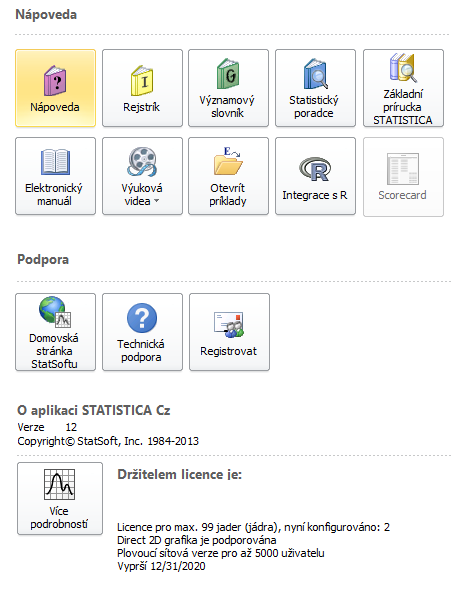
Select the File tab. In the left pane, select Help / Support. In the right pane, under the About Statistica heading, click More Details) and the About Statistica dialog box will appear.
Classic menu
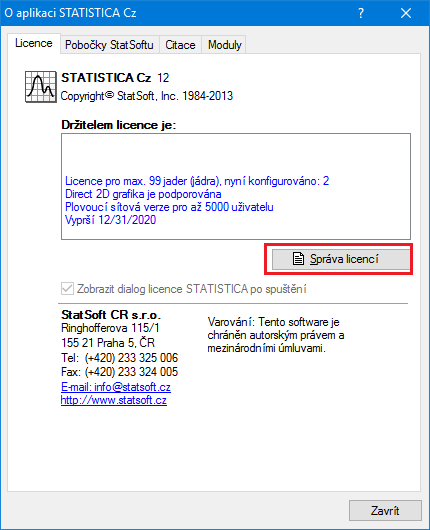
From the Help menu select About Statistica and the About Statistica dialog box will appear. On the License tab, click the License Management button and the License Management dialog box will appear.
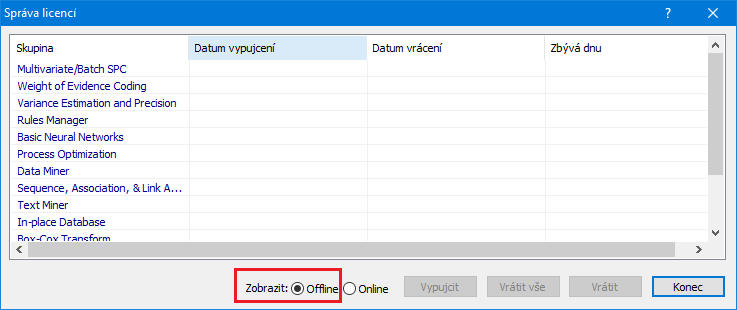
Two views are available: Offline and Online. Online mode displays a list of the individual licensed features. Offline mode displays a list of the individual licensed products. You can switch between the views by selecting the Offline or Online button. To borrow a license, select the Offline option button.
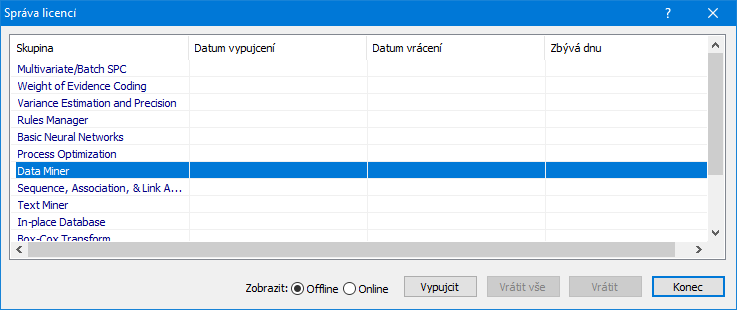
Select the product you want to borrow (in the figure below, the Data Miner module is selected) and click the Check-out button. The Check out product (Check-out Product) dialog box will appear. Using these options, you can specify the total number of days for which the license will be borrowed.
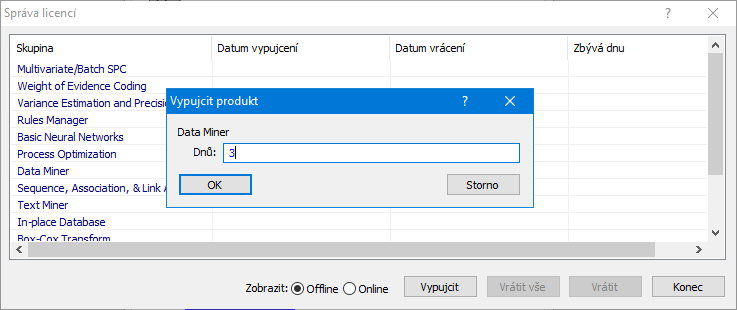
The upper limit (usually between 5 and 14 days) is set in the license file and will be specific to your installation. Enter the number of days you need to borrow the product and click OK. If the product cannot be borrowed for this period, an error message will appear. Otherwise, if you have successfully borrowed the selected product, the License Management dialog box updates to reflect the Check-out date (Check-out date), Expected check-in date (Check-in Date) and the number of days remaining until the borrowed license expires (Days Remaining).
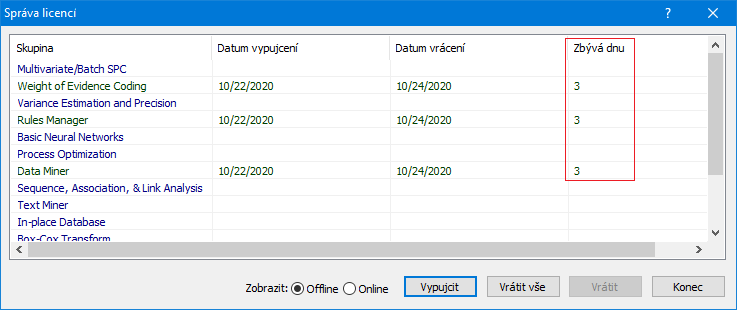
Some more advanced Statistica products, for example the Statistica Data Miner module, require other products in order to function. Whenever you borrow a product, all the other products on which the product depends are also borrowed. The figure above shows that when the Data Miner module was checked out, several other products indispensable for Data Miner were also automatically checked out.
Borrowed licenses will be automatically returned on their check-in date. Suppose, for example, that a Data Miner module license was reserved on your laptop for three days. Once the borrowing period expires, the application stops working on the laptop and is returned to the pool of available licenses. You do not need to connect to the network in order to return the product on the expiration date. However, you can return licenses manually before the validity period expires. You can return one license at a time by selecting the license and clicking the Check in (Check-in) button. Alternatively, you can return all licenses at once by clicking the Check-in all button. Because the License Management (Licence Management) dialog box shows only those licenses that are borrowed by you, you do not need to worry about incorrectly returning a license that someone else borrowed. To borrow a license or to return a license before expiration, you must have an active connection to the license server.
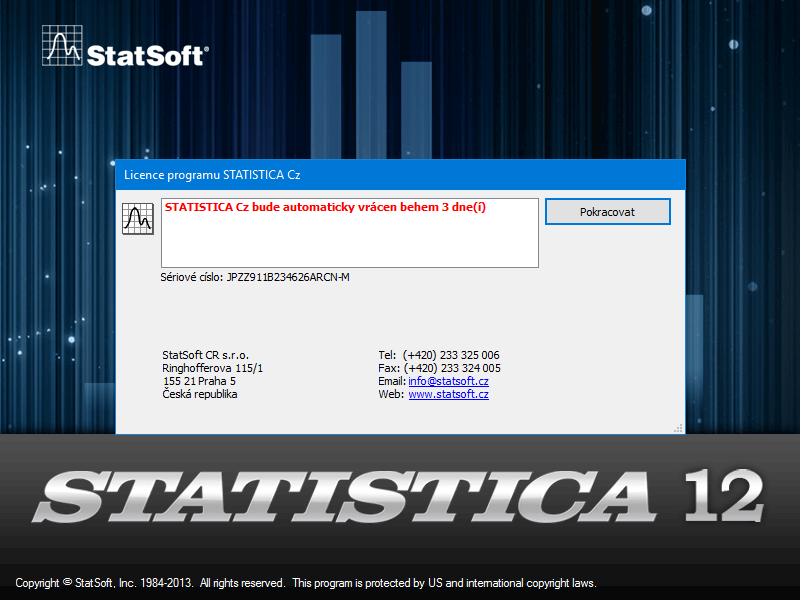
After borrowing or returning licenses, you should verify that the action was successful. Disconnect the device from the network and try to run the CLP. If the system fails to start, you have successfully returned the license. When borrowing a license, the opposite applies. If the system fails to start, you have not successfully borrowed the license.