The Database Connector feature (in older versions „in-place database processing“) connects directly to databases without the need to create a local copy of the data. The Database Connector uses queries to extract data from the database and sends it to the Statistica program. In some cases, this feature is not recommended due to computing performance. For example, when many analyses run on the same dataset, or with some more complex analytical methods in which the analysis needs to pass over all the raw data several times.
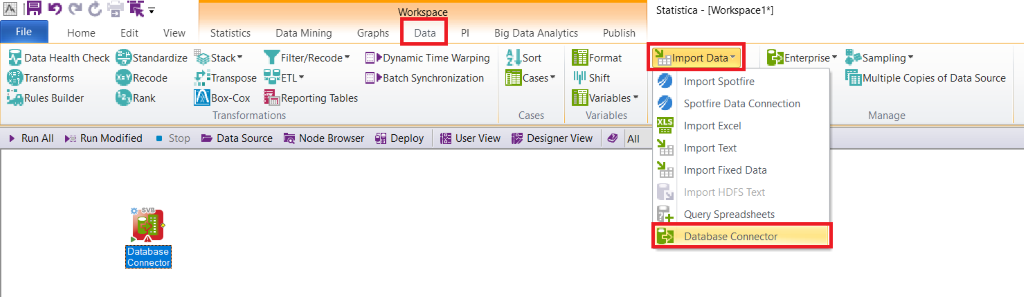
1. Open a new empty Workspace environment. On the Data tab, select Import Data and then Database Connector.
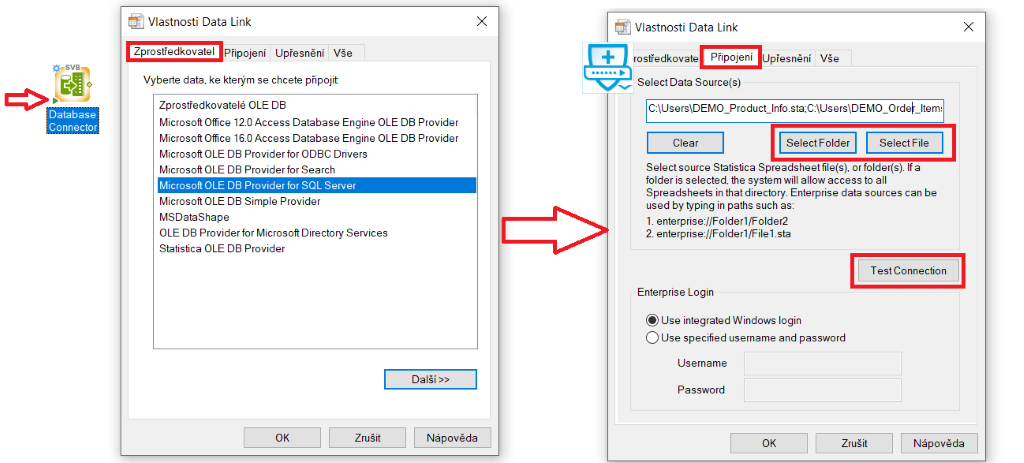
2. Instead of the usual procedure, where we parameterize the node via the gear icon, we launch the Database Connector via the small green arrow. A new window then pops up, where we select the connection provider and, on the next connection tab, enter the required data from the database. We then verify the connection with the Test Connections button and confirm with OK.
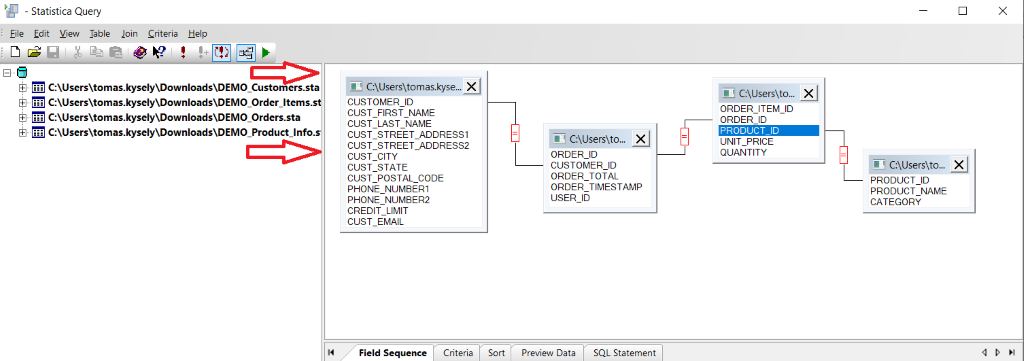
3. A new window titled Statistica Query appears. From the list of connected data, drag the required data with the mouse onto the white space on the right. Then join the individual data using primary keys, in this case CUSTOMER_ID, ORDER_ID, and PRODUCT_ID, by dragging with the mouse.
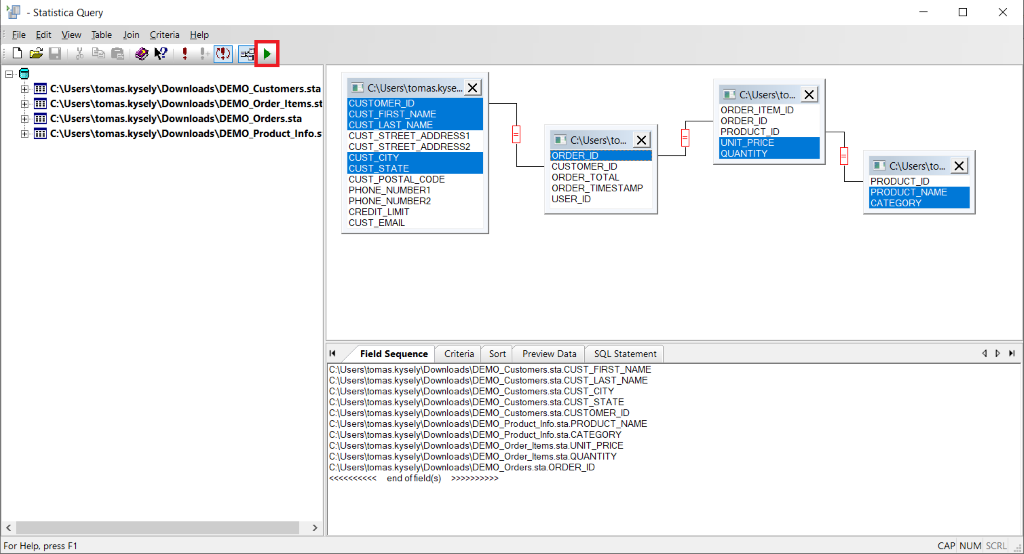
4. Next, select the variables you want to use in future analyses by holding down the Ctrl key and clicking with the mouse. Confirm with the green arrow.
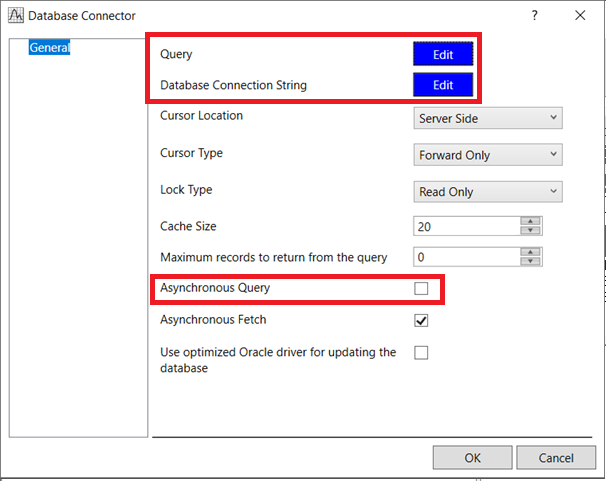
5. Now, on the Database Connector node, we select parameterization via the gear icon, and the following window appears. When we open the Query and Database Connection String options, we see that the SQL queries have been saved and can be further edited if needed. An important step below is to turn off Asynchronous Query. We confirm with OK.
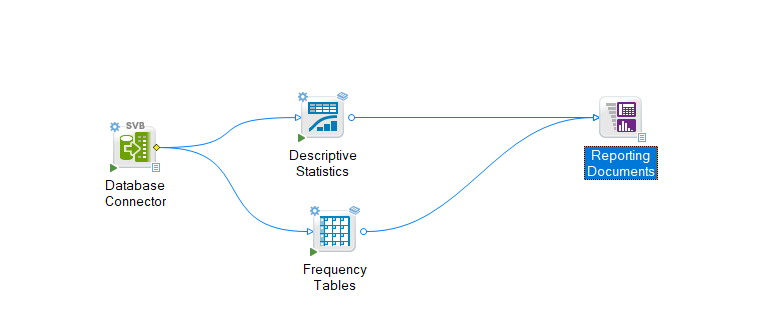
6. Everything is now ready for performing statistical analyses in the Workspace environment.
Additional information in closing
A synchronous query stops all other processes until the running process is completed. An asynchronous query allows the currently managed thread to be used to perform other tasks at the same time.
Fetch is a process in which the program loads data and then moves it to an alternative location or displays it. Asynchronous Fetch allows the loaded data to also be used for other tasks at the same time.