How to Perform Logistic Regression

Logistic Regression – Multiple Predictors

The following article focuses on building a logistic regression with multiple predictors in the Tibco Statistica program.

  1. In the menu, select Statistiky > Pokročilé modely > Zobecněné lineární/nelinerání modely
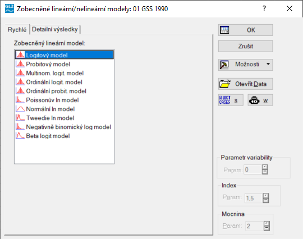
  2. From the list, select Logitový Model


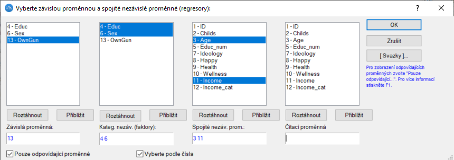
3. Select the variables – multiple regressors, both categorical and continuous


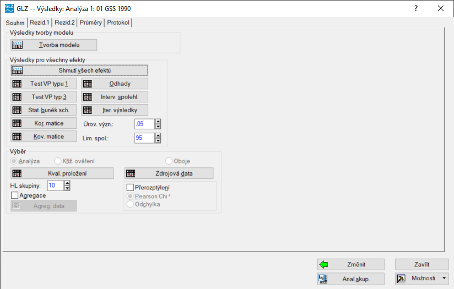
4. In the next step, select the Tvorba Modelu option


5. Multiple outputs are created in the workbook, one of which is a table with the parameter estimates
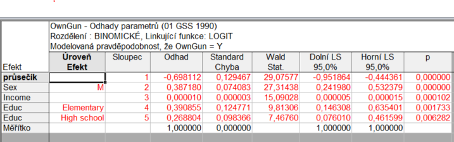


Within the WorkSpace environment, you can create several such models and examine the situation for several different dependent variables. Then, with a single run, all cases are computed.

We'll prepare a tailored quote. Free and with no obligation.

Tell us how many users and what analyses you need — we'll get back to you with a concrete license quote, usually within a few business days.

Try for free first
Statistica.pro

Official Statistica partner for the European Union, based in Prague, Czech Republic. Operated by DataBon s.r.o.

On the market since 1995, formerly as StatSoft CR s.r.o.

Contact

DataBon s.r.o.
Korunní 2569/108, 101 00 Prague 10, Czech Republic
+420 602 284 038
Company ID 09743804 · VAT ID CZ09743804

University licence users: please contact the licence administrator at your institution first.

© 2026 DataBon · statistica.pro · Personal data processing (GDPR) ·