Installing the trial version is very simple, and in just a few steps you have the complete version available to try out.
After downloading the archive with the trial version, extract the archive in zip format. In the extracted archive, locate these two folders: Install32 and Install64. Nowadays, for this version of the Statistica application, the most likely installation to consider is the 64-bit version.


Go to the Install64 directory, right-click the file Statistica.exe and select Run as administrator.
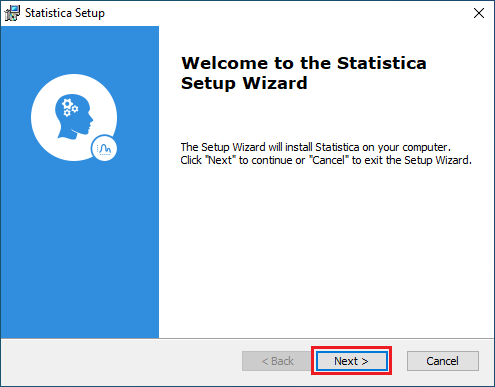
Choose Next.
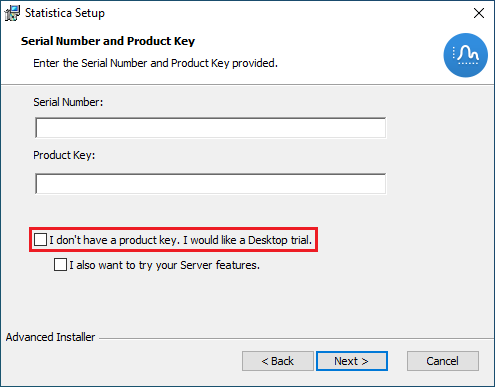
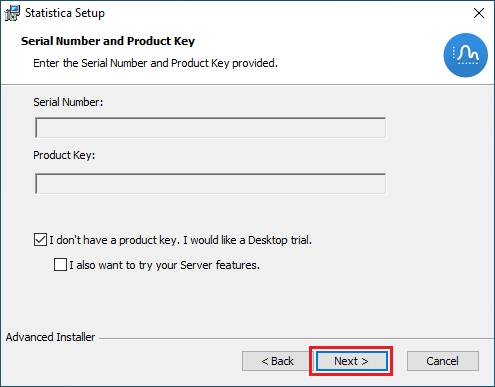
Select the I don’t have a product key. I would like a Desktop trial option. Then choose Next.
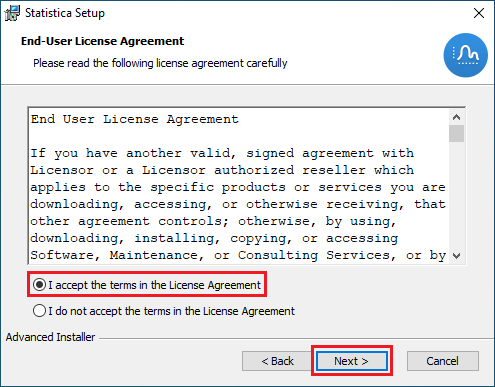
Select I accept the terms in the Licence Agreement.
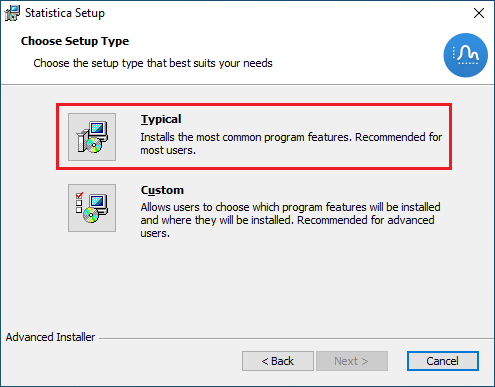
As the installation type, select Typical.
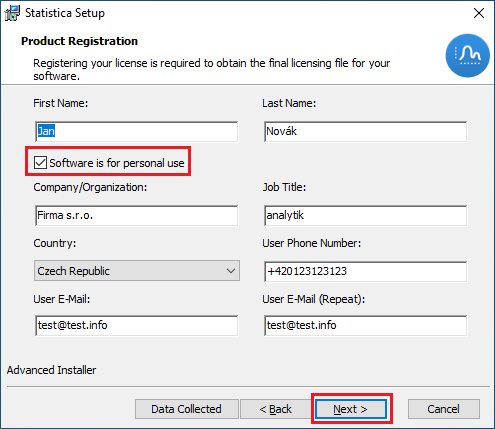
Fill in the registration details according to your situation, and once filled in, choose Next .
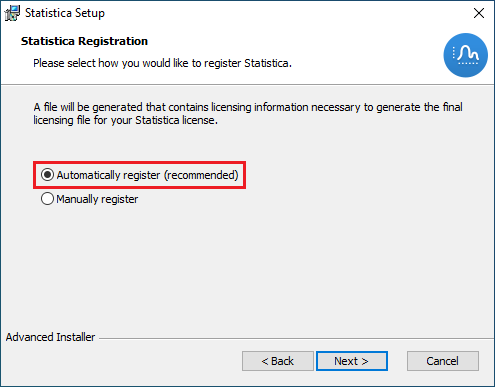
Select the automatic registration option Automatically register (recommended). Then continue the installation by choosing Next .
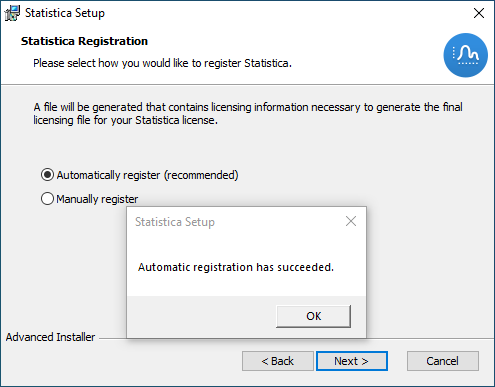
After selecting automatic registration, a message about successful registration should appear: Automatic registration has succeeded.
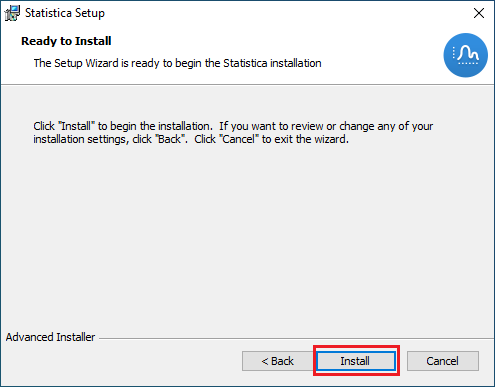
To begin the installation itself, choose the Install item.
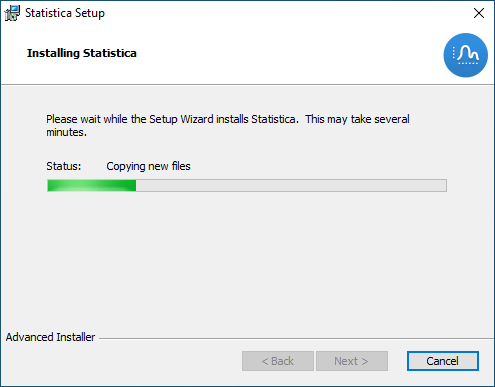
The installation itself then starts; wait until the following dialog box about the completion of the installation appears.
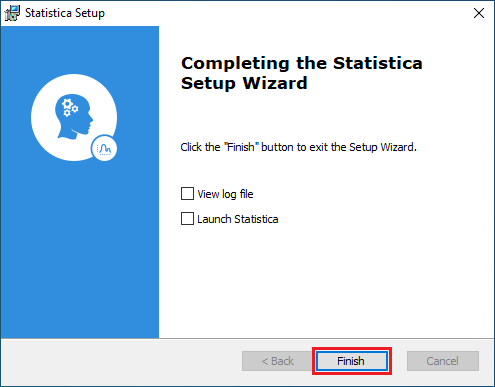
Here you can decide whether you want to view the installation log (View log file) or whether you want to launch the Statistica application right after the installation is complete (Launch Statistica). Finish the entire installation by pressing the Finish button.
This completes the installation of the trial version.