This article covers uninstalling and automatically canceling the registration of the single-user version of the Statistica program.
Procedure
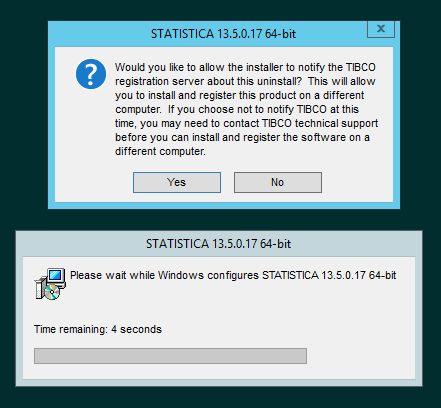
During a proper uninstallation of the software, the user is prompted to confirm canceling the registration of the specific PC:
If you choose Ano, the registration will be automatically canceled. However, all conditions for connecting to the registration server must be met (in particular, a working internet connection); otherwise, the automatic cancellation of the registration will not be performed.
Software removal step by step:
- Make sure no other applications are running.
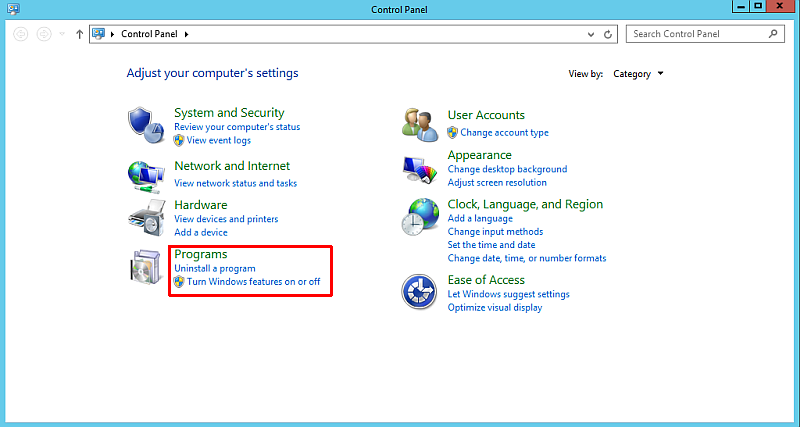
- In Windows, in the menu, select Start / Ovládací panely (Control panel) / Programy a funkce (Programs and Features).
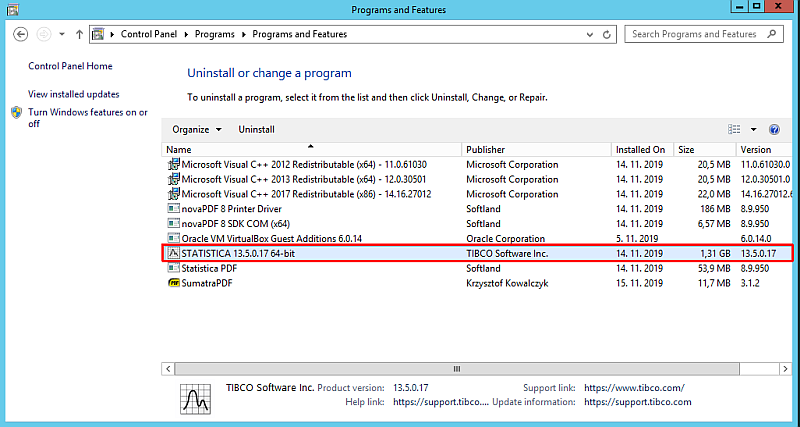
- To remove the installation, select the Statistica item and choose Odinstalovat (Uninstall).
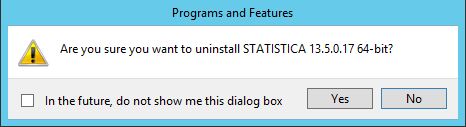
- The installer confirms once more whether you really want to completely remove the application. Confirm with the Ano (Yes) button.
- You will now be prompted whether the registration server should be informed about the program's uninstallation. If you choose Ano, the license will be automatically deregistered and the registration can be used, e.g., on another PC. Therefore, we recommend confirming the cancellation of the registration with the Ano button.
- If the license is successfully deregistered, information about the successful deregistration attempt will be displayed.
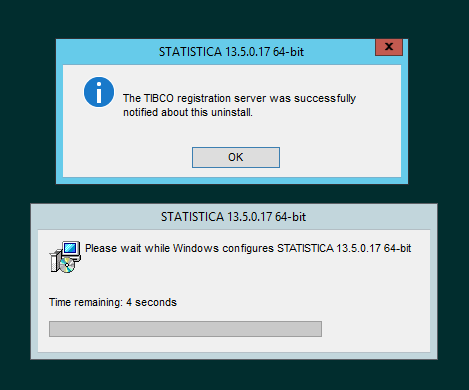
- This completes the removal of the Statistica application from your computer.