We open the new license file that was provided to you in a text editor (e.g., Notepad or Notepad++, but not Word or similar). We look for the entry that is usually found on the fifth line:
SERVER <server hostname> ANY 26999
Here, in the new file, we replace the text <server hostname> with the actual name of your PC where the Statistica application and the helper program Concurrent License Manager are installed. For example, according to the attached image, where the computer name is „WIN10HP“, we replace <server hostname>:
SERVER WIN10HP ANY 26999
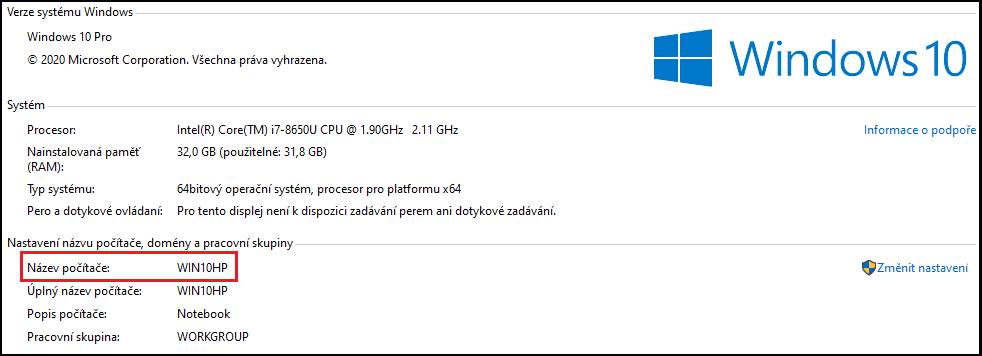
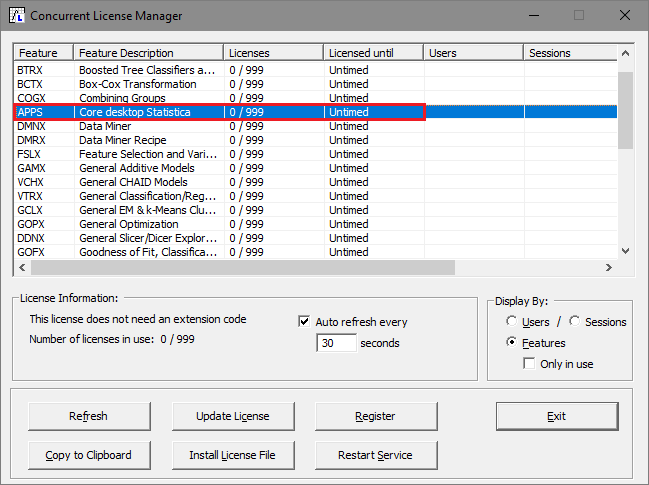
Then we save the file. There is no need to rename it in any way or place it in the folder with the Statistica installation. In the main Windows menu, we find the item with the Statistica <version number> installation and launch the Concurrent License Manager program.
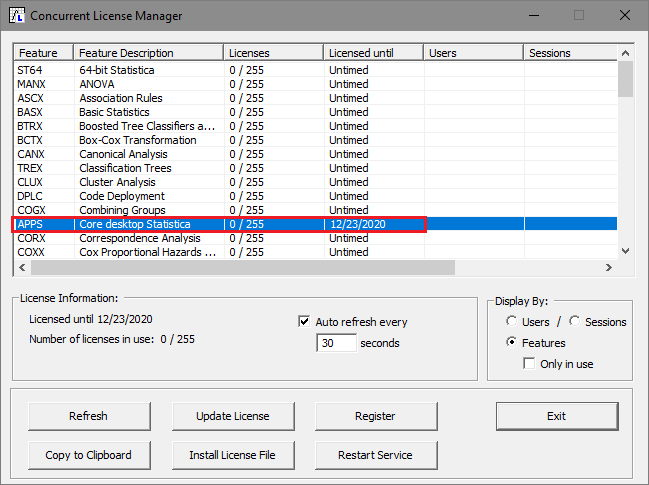
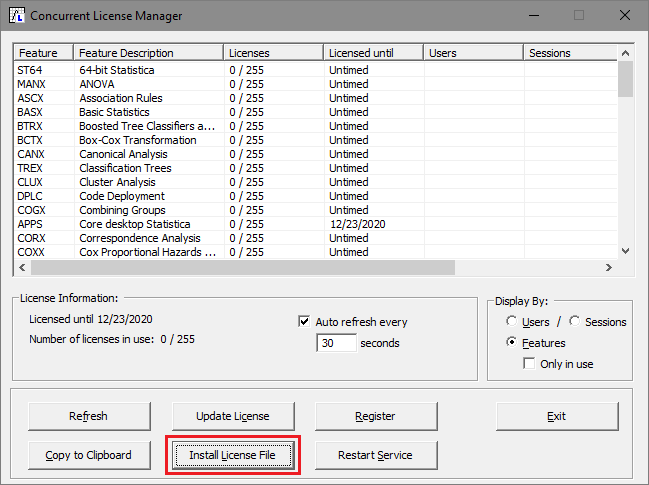
We select Install License File and, in the following Open dialog, we select the new license file.
A notice appears that the license file has been renewed and that the original STAT.lic file has been backed up as a file with the extension <file_name>.BAK, with a name corresponding to the date and time of the backup (a so-called timestamp), and is located in the folder C:Program Files (x86)StatisticaFLEXlm.
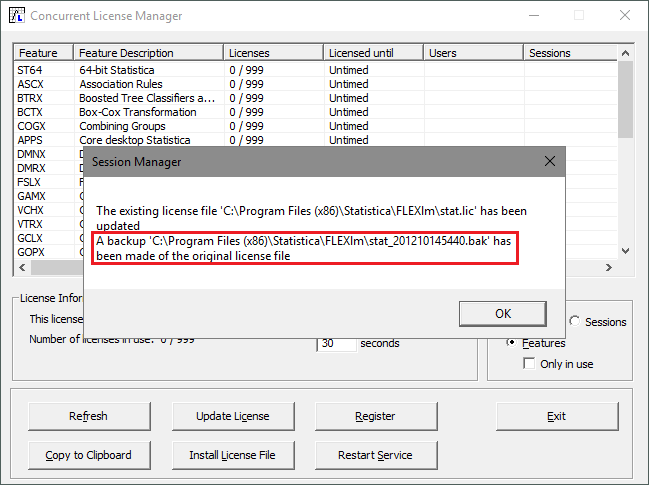
We double-check the renewed license file.
If, for some reason, you need to restore the original STAT.lic file, the procedure is the same as described in this guide. Here, however, you need to rename the file with the *.BAK extension to a file with the *.lic extension, i.e., for example stat_201210145440.bak to stat_201210145440.lic. As a reminder: the backup file is located exclusively in the folder C:Program Files (x86)StatisticaFLEXlm.
Important note!
Under the new rules of Tibco Software, effective from 01.11.2020, all software licenses are renewed via installation codes, or license files, that technically ensure the unlimited validity of the software. In the following years, this eliminates the need to renew the software's functionality for another period. Annual license renewals will take place only at the legal level, by extending the license and the right to use it.