The following article focuses on creating a nonlinear regression in the Tibco Statistica program.
- We go to the Statistics tab, where we choose advanced models and then select nonlinear regression.
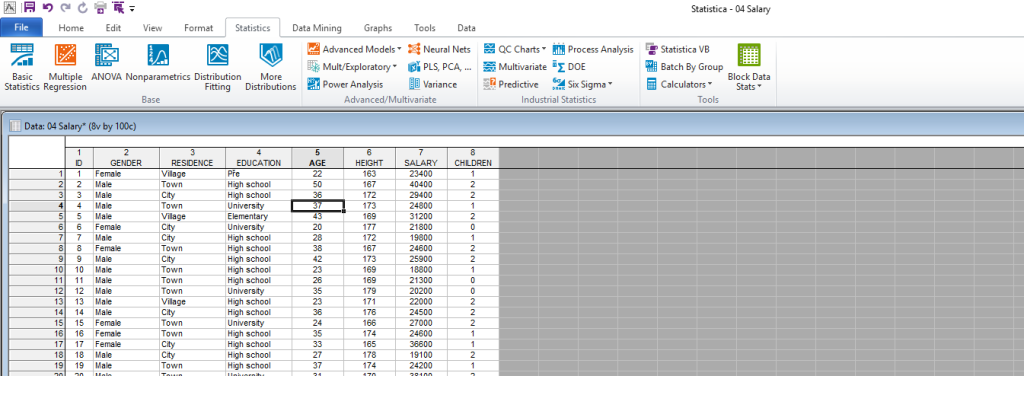
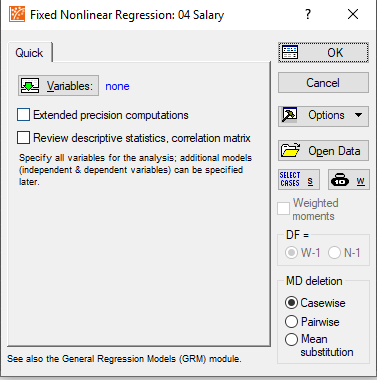
- The following window appears, where I select the variables that will enter the regression model (here I do not distinguish between endogenous and exogenous variables). We then confirm with the OK.
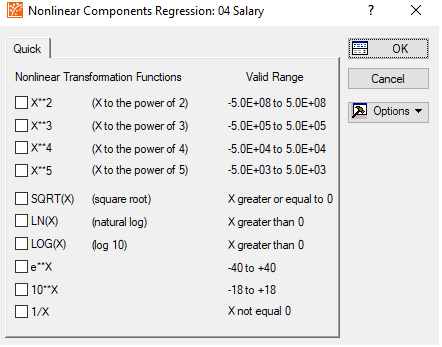
- The next step is choosing the complexity level of the model, so here we choose a nonlinear model, e.g. 1/x.
- In this step we select which variable will be the dependent one and which one(s) will be independent. Here it is very important to choose the correct formulation of the variables. If we want a nonlinear model, we must always choose the variables transformed by Statistica. In our case, therefore, 1/something.
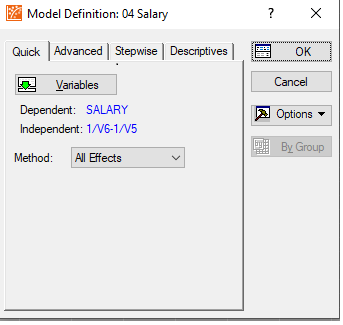
- If we want the dependent variable to be in linear form and the independent variables to be nonlinear, then for the dependent variable we choose the original variable, but for the independent variable we choose its modification. Here, therefore, 1/V variable number.
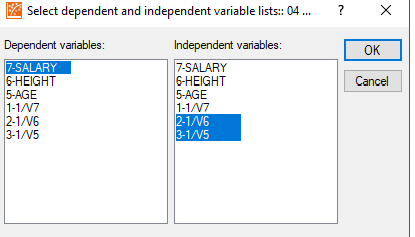
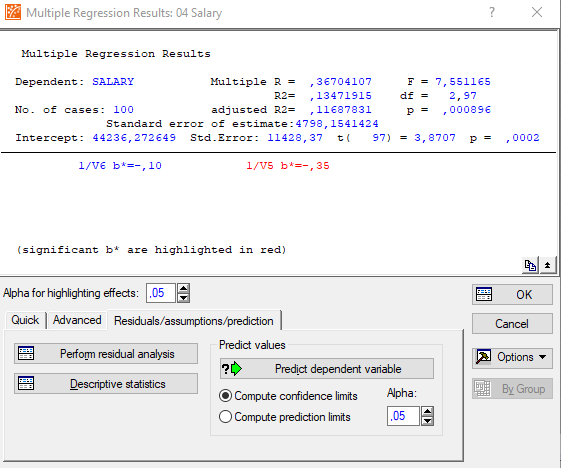
- We then confirm both the selection of variables and the entire regression, and I get the classic regression result, as I know it from linear models and others.