The procedure is therefore as follows:
1. First, remove any remnants of previous Statistica installations from your computer.
2. Click the local disk C and create a new StatSoft folder here, i.e. directly on C:.
3. Verify that the internet connection is currently working and that the browser Internet Explorer (the installation requires exclusively Internet Explorer).
4. The installation must run under an administrator account, so verify your account in Windows; if it is not an account with administrator rights, try assigning these rights to it, or, in cooperation with IT, use a different account.
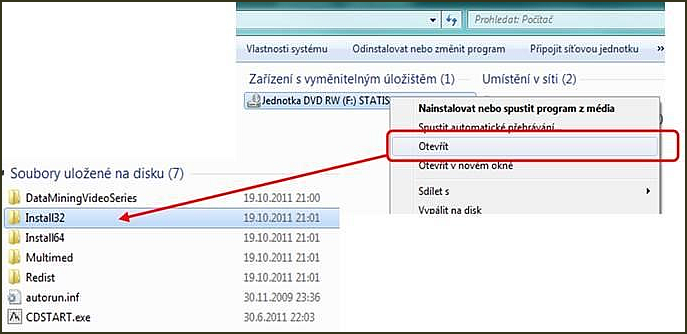
5. On the installation DVD (or in the downloaded installer), click through to the folder Install32 (for 64-bit Windows, to the folder Install64).
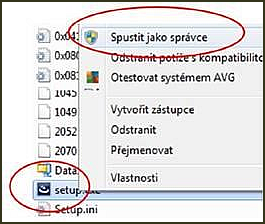
6. Locate the file setup.exe and, via the right mouse button, run setup.exe as administrator:
7. Enter the installation serial numbers, product and installation codes, and accept the license terms.
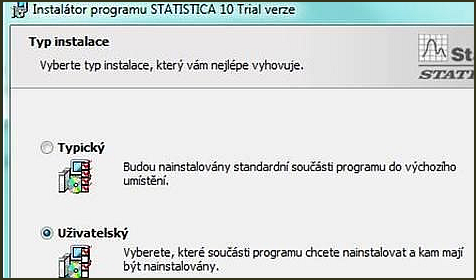
8. The next step is choosing the installation type. For our purposes, we choose the type Custom.
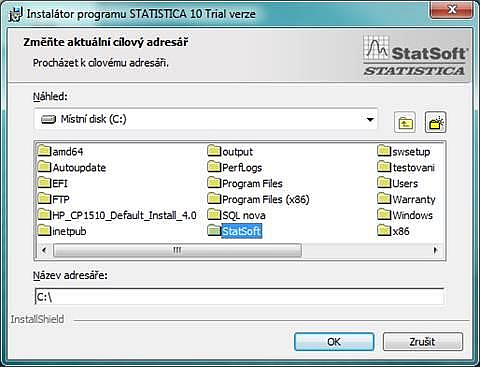
9. Using the browse option, click through to the local disk C:
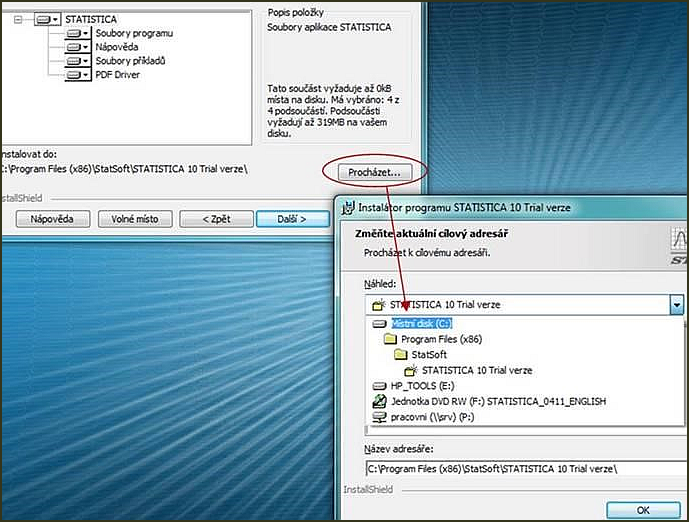
10. Here, use the scrollbar to the newly created folder StatSoft on C: and confirm with OK.
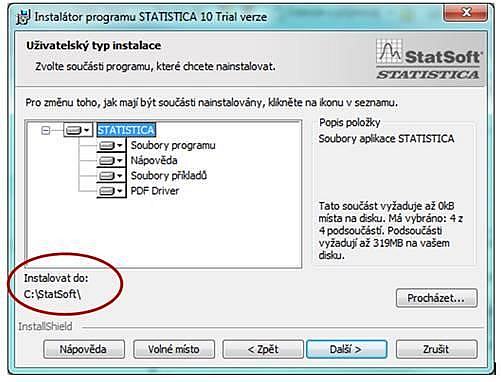
The installer panel should now show this:
11. Enter the registration details and email (if it is a university license, you must enter a faculty email with the school’s domain – the registration will require confirmation of the email address).
12. Confirm the Note with the OK button.
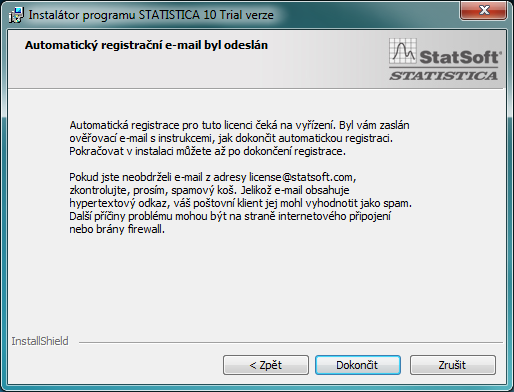
13. Find your new email, click the link in the email, and using the Finish and install button install the software.
14. Complete the installation.