There are two options for installing the language pack:
A. Installing the pack on a localized, i.e. Czech, Microsoft Windows system
A. Installing the pack on a localized, i.e. Czech, Microsoft Windows system
B. Installing the pack on an English version of Microsoft Windows
A. Installation on a Czech Microsoft Windows system
- Warning: all file operations must be performed with administrator privileges!
- Close the Statistica application.
- Using the link we sent you, please download the installation package for the Czech language environment TIB_stat-lp_14.0.0_languagepack-cs.zip.
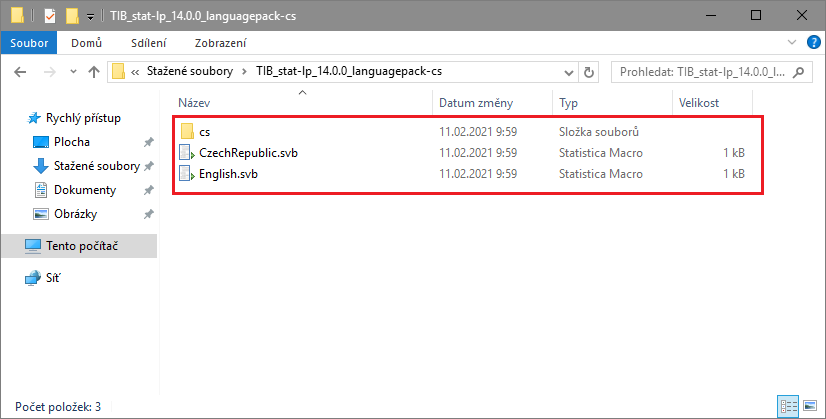
- Extract the TIB_stat-lp_14.0.0_languagepack-cs.zip file.
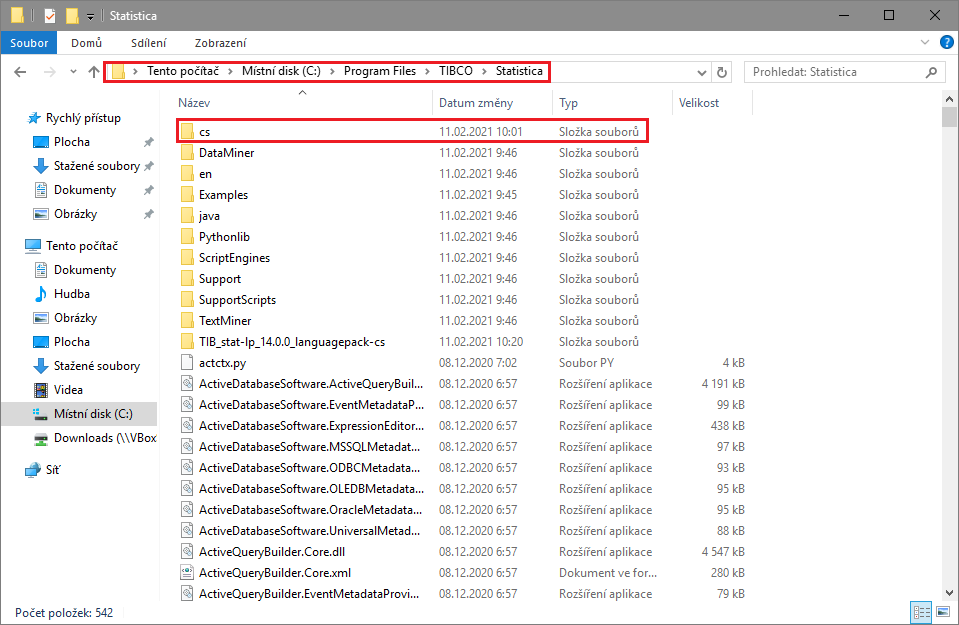
- Move or copy the cs folder from the extracted archive, including the two files CzechRepublic.svb and English.svb, into the TIBCO Statistica installation directory. On 64-bit Windows, typically into the directory:
C:Program FilesTIBCOStatistica and on 32-bit Windows into the directory:
C:Program Files (x86)TIBCOStatistica
- Launch the Statistica application.
B. Installing the pack on an English version of Microsoft Windows
- Close the Statistica application.
- Using the link we sent you, please download the installation package for the Czech language environment TIB_stat-lp_14.0.0_languagepack-cs.zip.
- Extract the TIB_stat-lp_14.0.0_languagepack-cs.zip file.
- Move or copy the cs folder from the extracted archive, including the two files CzechRepublic.svb and English.svb, into the TIBCO Statistica installation directory. On 64-bit Windows, typically into the directory (see the instructional images shown in section A):
C:Program FilesTIBCOStatistica and on 32-bit Windows into the directory:
C:Program Files (x86)TIBCOStatistica
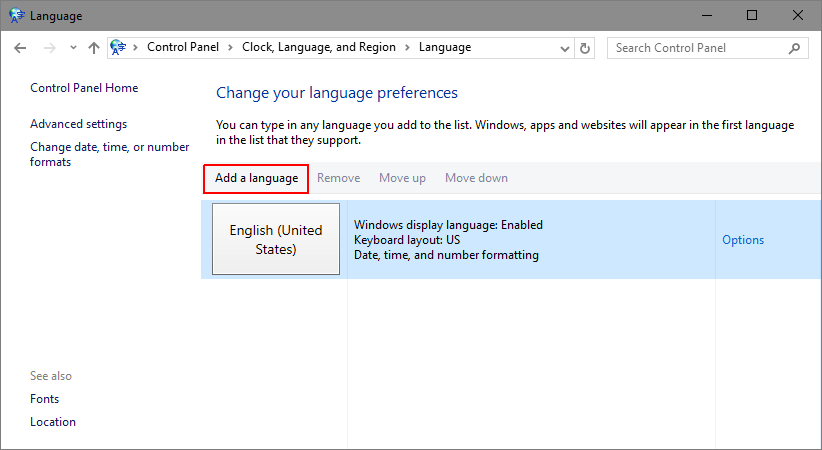
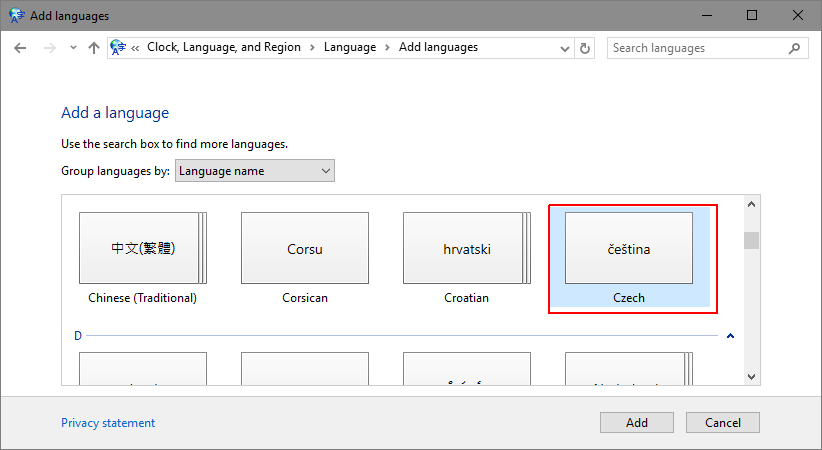
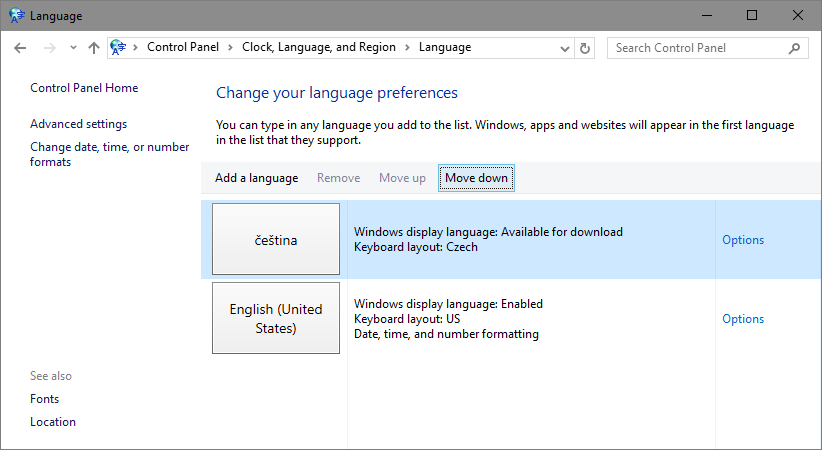
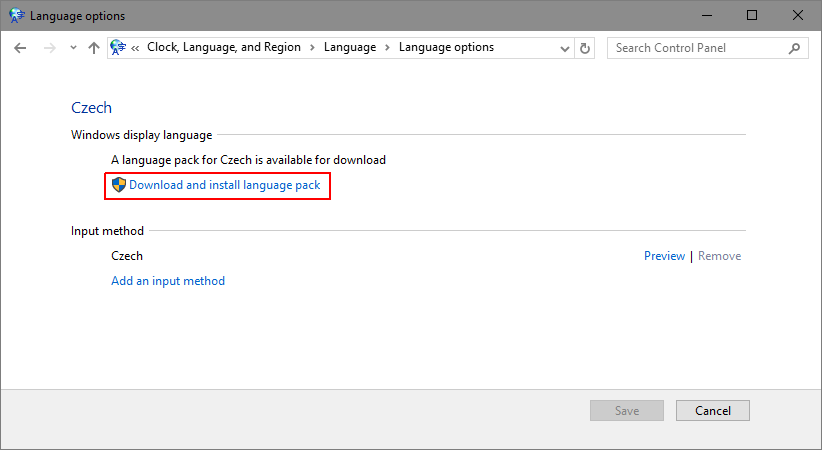
Open Control Panel, where you need to change the Region and Language to the desired language, i.e. Czech. (You may be prompted to download a language pack).
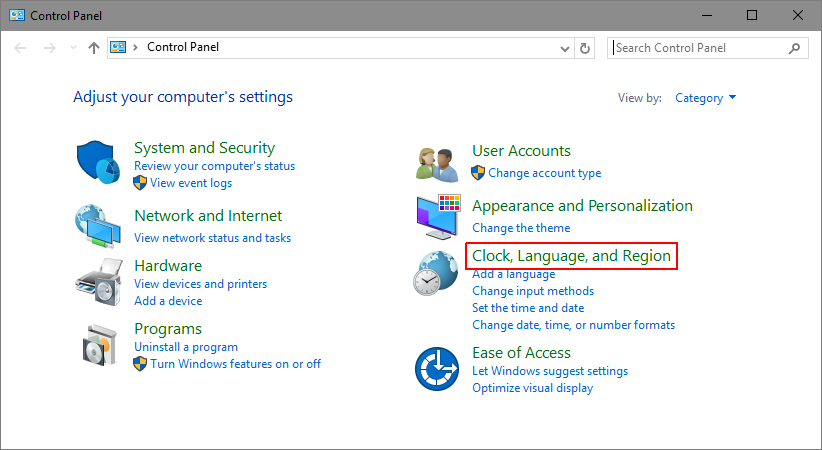
Open Control Panel/All Control Panel Items/Language and add the desired language.
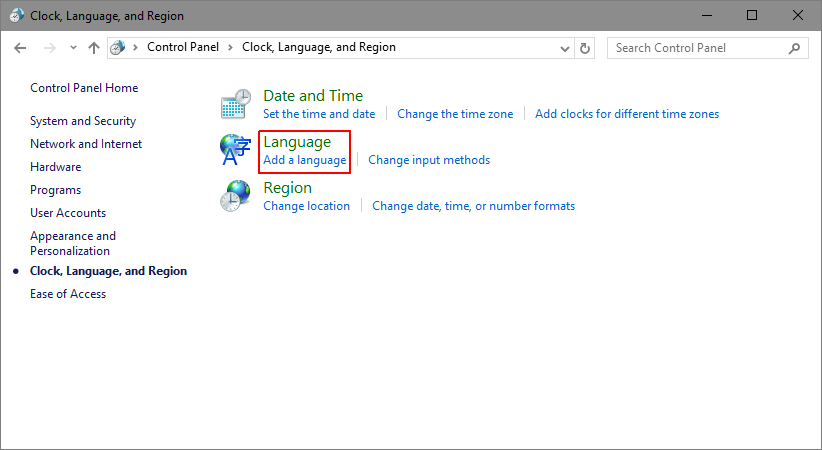
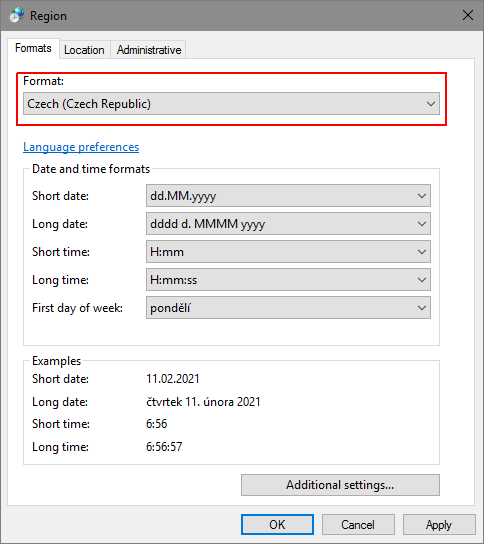
Open Control Panel/Region and change it to Czech, Czech Republic.
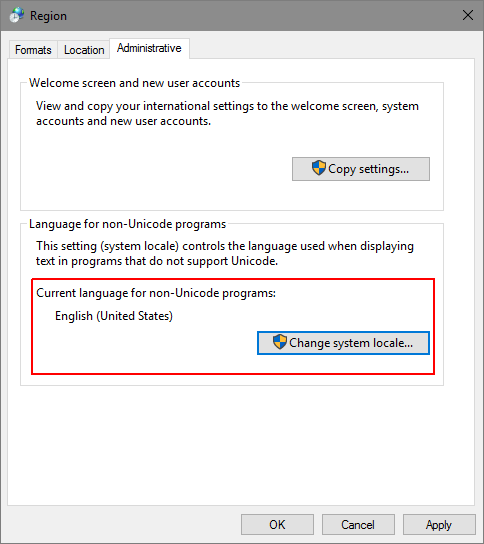
To change the system locale, select the Administrative tab and click Change system locale.
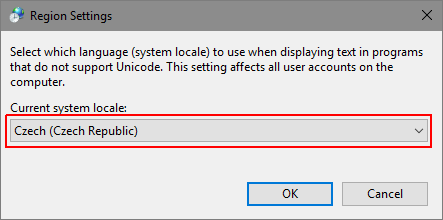
Select [Czech, Czech Republic] and click OK.
- To achieve the desired result, you now need to restart the computer.
- Close and relaunch the Statistica application, now with the Czech language pack installed.