Applying the Statistica license file – floating network version (Concurrent User)

For the network version, we apply the license file on the computer where the Statistica Floating License Manager is installed. This requires administrator privileges on that computer. The license file can be applied in two ways:

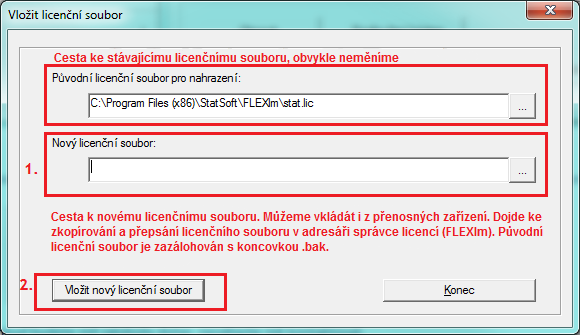
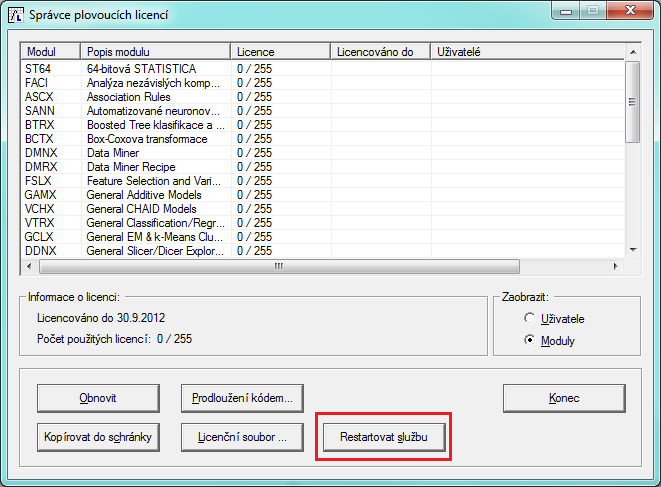
Using the Statistica Floating License Manager
Manually by copying the license file

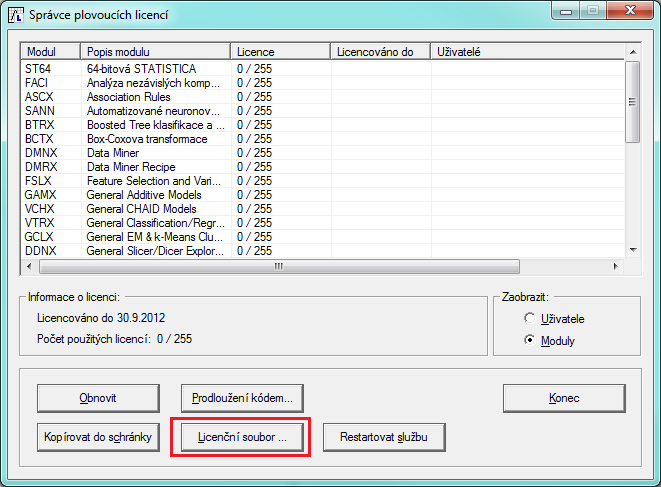
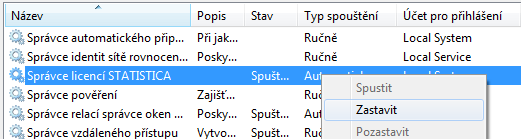
1. We stop the Statistica License Manager service:
2. We copy the license file into the directory of the license service (usually C:Program Files (x86)StatSoftFLEXlm). The name of the license file must be STAT.lic.

3. We start the Statistica License Manager service.

4. We verify the running service in the Services manager.
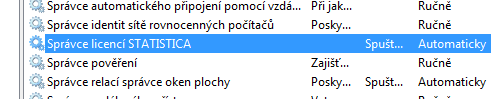
or in Task Manager:
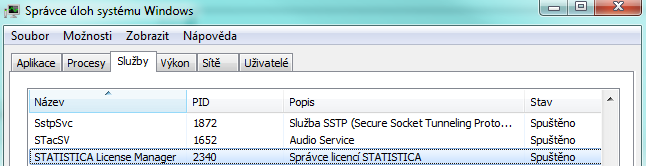
We'll prepare a tailored quote. Free and with no obligation.

Tell us how many users and what analyses you need — we'll get back to you with a concrete license quote, usually within a few business days.

Try for free first
Statistica.pro

Official Statistica partner for the European Union, based in Prague, Czech Republic. Operated by DataBon s.r.o.

On the market since 1995, formerly as StatSoft CR s.r.o.

Contact

DataBon s.r.o.
Korunní 2569/108, 101 00 Prague 10, Czech Republic
+420 602 284 038
Company ID 09743804 · VAT ID CZ09743804

University licence users: please contact the licence administrator at your institution first.

© 2026 DataBon · statistica.pro · Personal data processing (GDPR) ·